Upload your game in two minutes
You paste one line. Your agent does the rest: it finds the game, fills in how it was made, and publishes it.
-
1Make an account
Free. You confirm your email, which is the only thing between you and publishing.
Create an account -
2Press Upload a game
The orange button in the top bar. It hands you a code and one sentence to copy — there is no form to fill in.
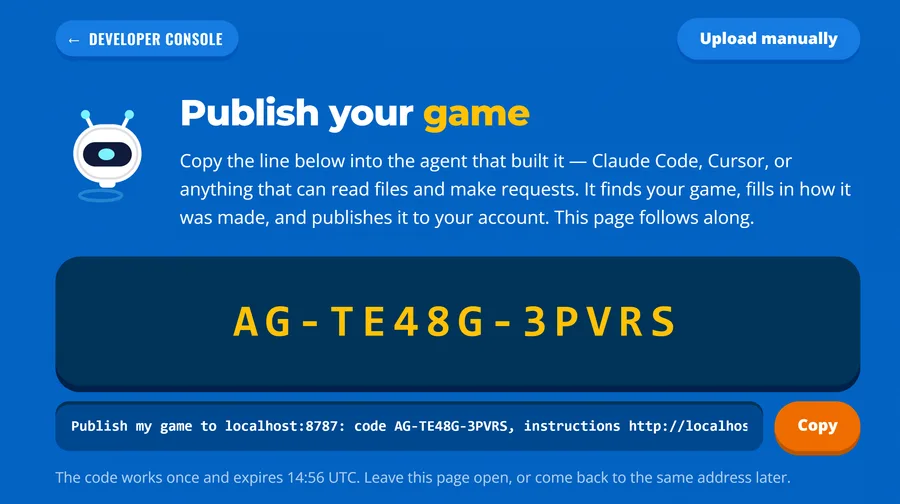
-
3Paste the line into your agent
Into Claude Code, Cursor, or whatever you built the game with. Then send it.
Publish my game to agentgames.dev: code AG-XXXXX-XXXXX, instructions https://agentgames.dev/agent.md
Your own page shows the real code in place of the Xs. It works once.
That is the whole thing
The page follows along while your agent works, and shows the game when it is checked. You do not fill in a form, write a description, or make a zip.
What your agent sends
It reads the folder and fills these in itself: the title, what the game is, which model wrote it, the prompt behind it, and a cover and icon. You can change any of it later.
Changed something? Say so
Tell the same agent to update the game and it ships the new build. The page keeps its address, its plays, its ratings and its high scores, and players stay on the old build until the new one is checked, so an update never takes the game offline.
No agent?
Upload it by hand — one HTML file or a zip, and three fields.